
The specific appeal steps that get suspended Irvine business profiles back online
The Specific Appeal Steps That Get Suspended Irvine Business Profiles Back Online
There is no professional “gut-punch” quite like logging into your dashboard and seeing that dreaded red label: “Suspended” or “Disabled.” For business owners in Irvine, this isn’t just a technical glitch; it is a direct hit to the bottom line. Whether you are a retailer in the Irvine Spectrum Center, a tech startup near UCI, or a home-based service professional in Turtle Rock, a suspension means your primary lead generation engine has stalled. One day you are ranking in the local pack, and the next, you’ve vanished from Google Maps entirely.
As a Grow With Google Partner and Level 8 Local Guide, I have seen the panic this causes. However, google business profile reinstatement is a process that rewards precision over speed. If you rush the appeal, you risk a permanent ban. In this guide, I will walk you through the exact steps we use to navigate the 2026 Google appeals interface and get Irvine businesses back on the map.
[Internal Link: Why Your Irvine Business Profile Got Suspended for No Clear Reason]
Understanding the “Why”: Common Suspension Triggers in Irvine
Before you touch the “Appeal” button, you must understand why Google flagged you. Suspensions generally fall into two categories: “Soft” and “Hard.” A soft suspension means your listing is still visible but you cannot manage it; a hard suspension means the entire listing has been removed from search results.
In Irvine’s fast-moving commercial real estate market, the most common trigger is an address change. If you moved your office from an executive suite in the Airport Area to a new space in Woodbridge and didn’t update your documentation simultaneously, Google’s AI may flag the profile for “Deceptive Content.” This is a catch-all flag that has become increasingly common in 2025 and 2026. Recent case studies shared on platforms like Reddit highlight that Google is now cross-referencing address updates against third-party data aggregators in real-time. If your “messy data trail” shows two different addresses for the same business name, a suspension is almost guaranteed.
Another frequent issue for Irvine entrepreneurs is the “Service Area Business” (SAB) trap. Many local contractors – plumbers, electricians, and landscapers – try to list a home address in a residential neighborhood like Northwood while also claiming a massive service radius. Google’s 2026 algorithms are highly sensitive to residential addresses being used for storefront-style profiles. If you don’t have permanent signage and a dedicated entrance, you must be set as an SAB, or you will face a “Hard” suspension for policy violations.
[Internal Link: The Messy Data Trail That Keeps Your Orange County Storefront Hidden on Maps]
The Golden Rule: Fix First, Appeal Second
The biggest mistake Irvine business owners make is submitting an appeal immediately. If your profile is suspended because it violates Google’s guidelines, and you appeal without changing anything, the automated system will reject you within minutes. Multiple rejected appeals can lead to a “blacklisted” status where Google support stops responding to your case entirely.
This is why the “Audit Phase” is non-negotiable. You must scrub your profile of any potential violations. This includes removing keyword stuffing from your business name (e.g., “Irvine Plumber – Best Emergency Pipe Repair”), ensuring your categories are accurate, and verifying that your phone number matches your official website. Professional google business profile seo involves ensuring that every field in your dashboard is compliant with the latest Prohibited Content and Restricted Content policies.
During this phase, check for “ghost” users in your account. Sometimes, a suspension is triggered because a former employee or a third-party agency with “Manager” access had their own account flagged. If their account is compromised, it can “infect” every profile they manage. Clean up your user permissions before you even think about the appeals tool.
[Internal Link: 5 Map Audit Mistakes That Are Quietly Killing Your Irvine Lead Flow]
The Evidence Checklist: What Google Actually Wants to See
Google’s trust in “self-reported” data is at an all-time low. To get reinstated in 2026, you must provide “High-Trust” documentation. If you are an Irvine-based business, Google expects a specific set of documents that prove you are a legal entity operating at the claimed location. Using local seo tools to verify your NAP (Name, Address, Phone) consistency across the web before submitting these documents is highly recommended.
Your Evidence ZIP file should include:
- Business License: A scanned copy of your City of Irvine business license or your California State professional license.
- Utility Bills: This is the “Holy Grail” of evidence. Google wants a recent (last 60 days) water, electricity, or internet bill. The name and address on the bill must match the profile exactly. Even a missing “Suite” number can cause a rejection.
- Articles of Organization: Your SOS.ca.gov filing or EIN confirmation letter from the IRS. Google is increasingly denying appeals if these legal formation documents are missing.
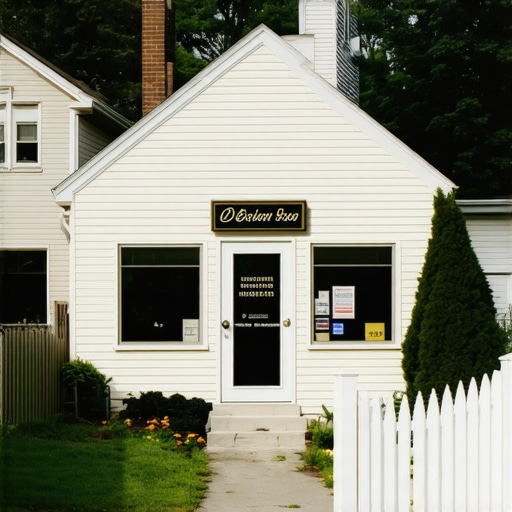
- Physical Proof: High-resolution photos of your storefront. This must include permanent signage (not a vinyl banner), your office entrance with the suite number visible, and – if you are a service-based business – branded vehicles or tools.
Technical Tip: Google’s AI now scans these images for metadata. If you submit photos with GPS coordinates that don’t match your Irvine address, the appeal will be flagged as fraudulent. Ensure your “Articles of Organization” are current; if your business is “FTB Suspended” or “Inactive” on the Secretary of State website, Google will not reinstate your profile.
Step-by-Step: Navigating the Google Business Profile Appeals Tool
The 2026 appeals interface is more streamlined than previous versions, but it is also more rigid. Follow these steps precisely to ensure your case is reviewed by a human moderator. Before starting, using a google business profile audit tool can help you catch any lingering errors that might trigger an auto-rejection.
- Confirm the Google Account: Log into the exact email address that owns the profile. Do not use a “Manager” account for the initial appeal if the “Owner” account is available.
- Access the Tool: Navigate to the Google Business Profile Help Center and select the “Appeals Tool.” Select the specific Irvine location that is suspended.
- The Evidence Upload: You will be prompted to upload your documentation. I recommend combining all your PDFs and photos into a single, clearly labeled ZIP file. Name it something professional like
[BusinessName]_Irvine_Reinstatement_Evidence.zip. - The “Narrative”: This is your chance to speak to the reviewer. Keep it factual and non-emotional.
Bad: “I’m losing money and this is unfair! Please fix it!”
Good: “We have updated our profile to strictly adhere to Google’s guidelines. We have removed the descriptive keywords from our title and verified that our Irvine business license (attached) matches our physical location. We are a legitimate local business providing [Service] to the Irvine community.”
Once submitted, you will receive a Case ID. Save this. Do not open multiple tickets for the same issue, as this resets your place in the queue and confuses the support system.
[Internal Link: How to fix a suspended Irvine business profile without losing your reviews]
What to Do if Your First Appeal is Rejected
If you receive an email stating “We have decided to maintain the suspension,” do not panic. This is often an automated response if the AI didn’t find a 1:1 match in your documentation. You now enter the “Second Chance” or “Additional Evidence” phase.
At this stage, Google often requests Video Verification. This is where many Irvine businesses fail. You will be asked to record a continuous video starting from the street, showing the surrounding area (like the cross-streets in the Irvine Business Complex), walking into your building, unlocking your office door, and showing your business equipment or “behind the scenes” dashboard. If the lighting is poor or you cannot prove you have access to the “tools of the trade,” the verification will fail. If you are stuck in this loop, it usually means there is a fundamental mismatch in your public data that Google’s “Trust and Safety” team can’t reconcile.
[Internal Link: Why Your Irvine Business Profile Verification is Stuck in a Loop]
Post-Reinstatement: Reclaiming Your Rank and Lead Flow
Congratulations! Your profile is back online. However, don’t expect the phones to start ringing instantly. There is often a “3-5 day lag” for your existing reviews to sync back to the profile. According to recent Reddit insights and community manager reports, reviews are the last piece of data to repopulate. If they don’t appear after 72 hours, you may need to contact support with your Case ID to “force sync” the database.
Furthermore, a suspension often causes a temporary dip in rankings. To get back into the Top 3, you should immediately engage a google maps ranking service to jumpstart your local signals. This includes posting a “Business Update” to your profile, uploading new geo-tagged photos of your Irvine office, and responding to any reviews that came in just before the suspension. You need to signal to the algorithm that the business is active, compliant, and highly relevant to Irvine searchers.
[Internal Link: 3 GMB Irvine Pin Edits That Stop 2026 Map Ranking Drops]
Conclusion: Protecting Your Irvine Business from Future Flags
In the world of Local SEO, compliance is the only way to ensure long-term stability. Irvine is a competitive market; your competitors are likely watching your profile, and “suggested edits” from the public can sometimes trigger re-verification requests. Stay vigilant. Keep your documentation updated, maintain NAP consistency, and never use “black hat” tactics like fake reviews or geo-stuffed descriptions.
If you are currently staring at a suspended label and the steps above feel overwhelming, don’t go it alone. As a Grow With Google Partner, I specialize in helping local businesses navigate these technical hurdles. Contact me today for a professional audit to identify exactly why you were flagged and let’s get your Irvine business back where it belongs – at the top of the Map Pack.